Beginners: Hot and Cold Wallet Workflow and Action Checklist

A hot wallet stores your private keys on an internet-connected device for quick access; a cold wallet keeps them offline where hackers can’t reach them remotely. The right answer for most beginners isn’t picking one. It’s using both: a small hot wallet balance for spending or trading, and the bulk of your holdings in cold storage. Whichever you choose, your seed phrase is the actual asset. Guard it like one.
TL;DR:
- Keeping only a small amount in a hot wallet minimizes risk, while the majority of holdings should be stored offline in a cold wallet.
- Hardware wallets cost between $50 and $200, and purchasing directly from manufacturers ensures device integrity and security.
- Always verify the authenticity of your cold wallet device before use and write down seed phrases physically in multiple secure locations.
- Conduct test transfers of small amounts before moving large funds between wallets to prevent errors and accidental losses.
- Building consistent operational routines, like routine firmware updates and backup checks, outweighs brand loyalty when managing crypto security.
Table of Contents
- What Is a Hot Wallet and How Does It Work?
- What Is a Cold Wallet and Why Is It Considered Safer?
- Cold Vs Hot Wallet: Which One Fits Your Situation?
- How Do You Use Hot and Cold Wallets Together Safely?
- Backups, Seed Phrases, and Recovery: What Beginners Get Wrong
- Sources
- FAQ
What Is a Hot Wallet and How Does It Work?
A hot wallet holds your private keys on a device that’s connected to the internet, which is exactly what makes it convenient and exactly what makes it a target. Hot wallets are software-based and built for frequent transactions, but that same connectivity means every hot wallet is a potential entry point for phishing pages, malware, and compromised apps.
You’ll run into four common types:
- Mobile app wallets (like Trust Wallet or MetaMask’s mobile version), good for spending crypto or checking balances on the go
- Desktop app wallets, useful for more frequent trading from a home setup
- Browser extension wallets, the standard for interacting with DeFi protocols and NFT marketplaces
- Custodial exchange wallets, where a platform like Coinbase or Gemini holds the keys on your behalf
The trade-off is consistent across all four: the easier it is for you to move funds, the easier it is for an attacker to try. A fake “wallet support” pop-up or a malicious browser extension has drained more beginner accounts than any exotic hacking technique.
What Is a Cold Wallet and Why Is It Considered Safer?
A cold wallet keeps your private keys completely offline, isolated from any internet connection. Cold storage relies on hardware wallets, paper wallets, or fully air-gapped devices, and because the keys never touch a network, remote hackers have nothing to grab.
Here’s what that looks like in practice:
- Hardware wallets, like Ledger and Trezor devices, generate and store keys on a dedicated chip
- Paper wallets, a printed record of your keys and address, cheap but fragile
- Air-gapped devices, computers or phones that never connect to Wi-Fi or Bluetooth
- Custodial cold storage, where an institution vaults your assets offline on your behalf
Signing a transaction with a hardware wallet doesn’t expose the private key at all. The device confirms the transaction internally and only sends the signed, approved result out. That’s why cold storage is the default recommendation once your holdings grow past what you’d be comfortable losing to a phone theft or a phishing link, and it’s also why creating your seed phrase offline matters from day one. Once a seed has touched an internet-connected screen, you can’t be fully sure it stayed private.
Cold Vs Hot Wallet: Which One Fits Your Situation?
The core trade-off comes down to four things: security, accessibility, cost, and convenience. Hot wallets win on accessibility and cost (most are free) but lose on security. Cold wallets flip that: strong security, a real price tag, and a slower process for every transaction. Their failure modes are different too. A hot wallet’s biggest threat is a remote online attack; a cold wallet’s biggest threat is physical, like losing the device or damaging a paper backup.
A workable rule of thumb: keep only what you’d spend or trade in the next few weeks in a hot wallet, and move everything else into cold storage. Gemini’s own guidance frames this as an operational balance strategy, where the hot wallet functions like a checking account and the cold wallet like a savings vault.
Three scenarios show how that plays out:
- The active trader checking charts daily might keep a small operational balance of their portfolio hot for quick moves, with the rest cold.
- The long-term holder who buys and forgets might keep 95 percent or more in a hardware wallet, touching the hot wallet only a few times a year.
- The occasional buyer picking up small amounts monthly can often stick with a reputable exchange wallet until the balance grows large enough to justify a hardware device.
How Do You Use Hot and Cold Wallets Together Safely?
Splitting funds only works if the transfer process between wallets is careful, not casual. Here’s a simple workflow:
- Set your operational balance first, the amount you’re comfortable keeping hot for spending or trading.
- Verify your cold wallet device is genuine and initialized correctly before sending anything meaningful to it.
- Send a small test transfer, often a few dollars’ worth, before moving the full amount.
- Confirm the test transfer arrived on-chain by checking the address on a block explorer.
- Move the remaining balance once the test is confirmed, and set daily transaction limits on your hot wallet going forward.
- For balances large enough to matter to your finances, consider a multisig setup that requires more than one approval before funds move.
Pro Tip: Send test transfers to yourself even when you’ve made the same transfer a dozen times before. A single mistyped character in an address is permanent, and rushing is how it happens.
Move funds from cold to hot only when you have an actual reason, like a trade you’re ready to execute, not “just in case.”
Backups, Seed Phrases, and Recovery: What Beginners Get Wrong
Your seed phrase, not your device, is what actually controls your funds. Losing a hardware wallet is a minor inconvenience if your seed is safe; losing your seed phrase while keeping the device is a disaster.
A few non-negotiables:
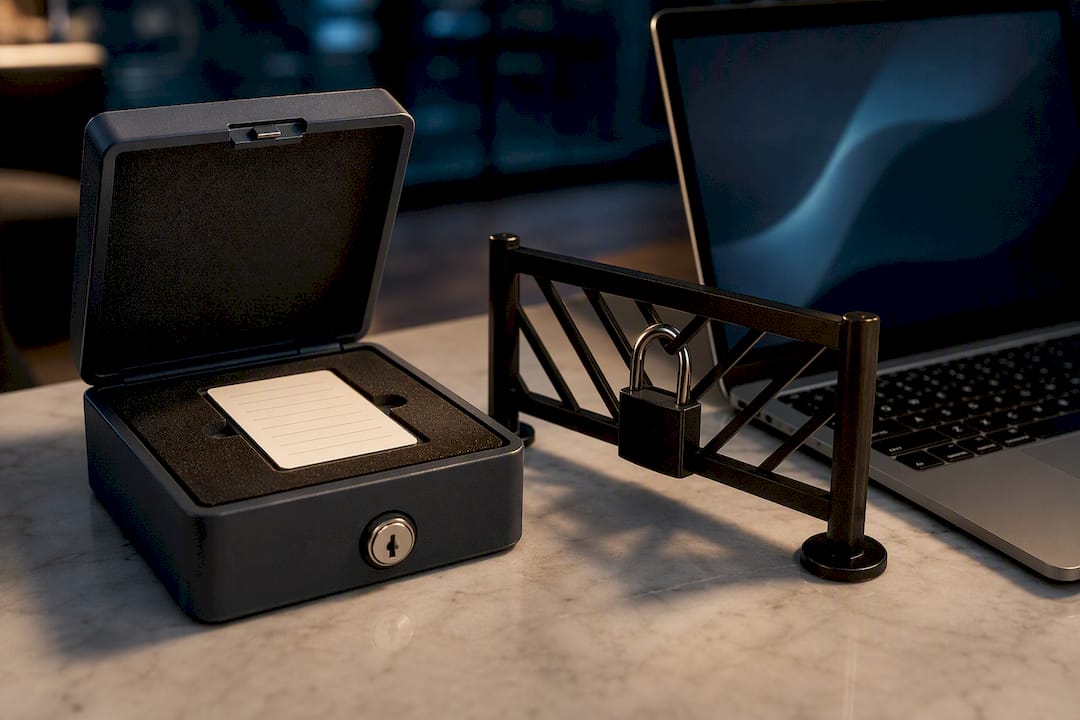
- Write your seed phrase down physically, on paper or a metal backup plate, never as a photo, note app, or cloud file.
- Store at least two copies in separate secure physical locations, like a home safe and a bank deposit box.
- Set a strong PIN and, where available, a separate passphrase on your hardware wallet.
- Keep your device’s firmware updated directly through the manufacturer’s official app.
Operational discipline, things like transaction limits and routine monitoring, often reduces risk more than any single device choice. If your seed phrase is ever exposed, recovery options include restoring to a new device with the same seed, setting up multisig so no single key controls the funds, or, for those who’d rather not self-custody at all, using an insured custodial cold-storage service that trades some control for convenience.
The most common beginner mistake isn’t picking the wrong wallet. It’s typing a seed phrase into a website that claims to “verify” or “sync” it. No legitimate wallet ever asks for that.
What Do Wallets Cost and How Do You Buy One Safely?
Hardware wallets from established manufacturers typically run about $50 to $200, with price driven by the secure chip inside and the range of coins it supports.
- Check token and chain compatibility before buying. Not every device supports every blockchain equally well.
- Mobile-first users often prefer wallets with a strong companion app; desktop users may prioritize devices with robust desktop software.
- Buy directly from the manufacturer’s website or an authorized retailer, never a third-party marketplace listing at a suspicious discount.
- A device that arrives already initialized, with a seed phrase pre-printed or a broken security seal, should be treated as compromised and never used.
Profitomics Checklist: Setup and Maintenance You Can Use Today
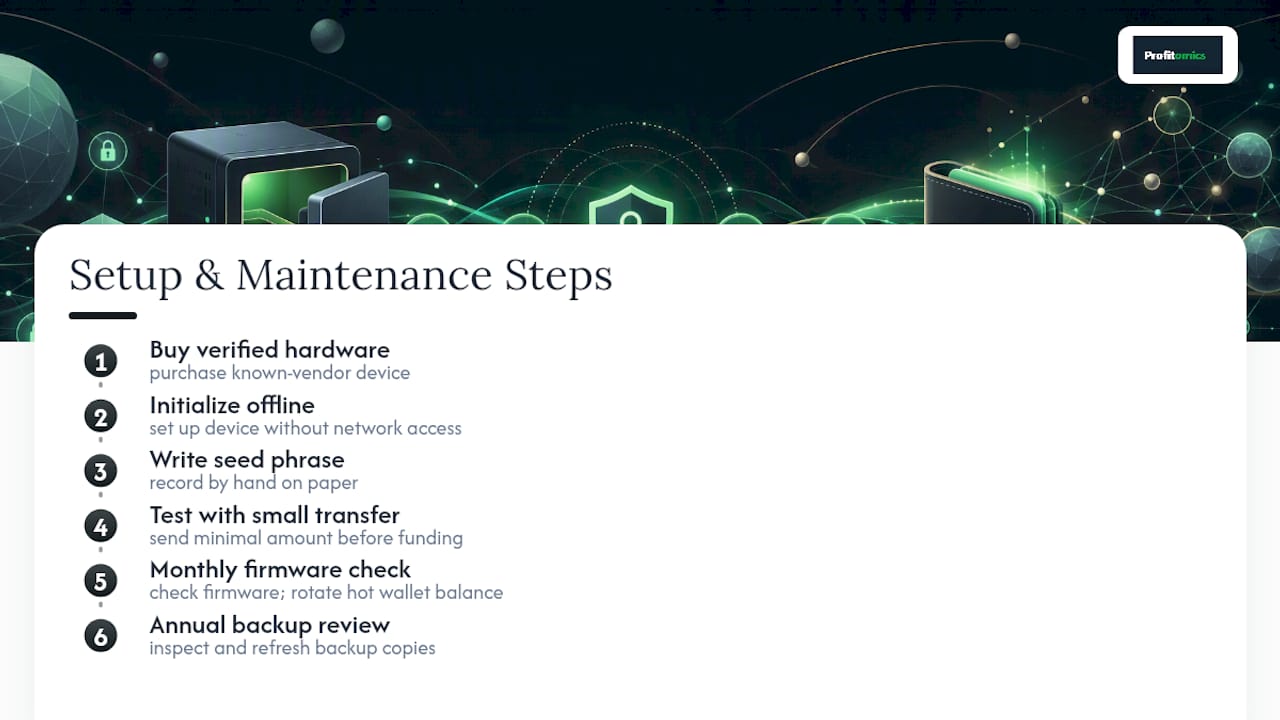
Setup: Buy verified hardware, initialize it offline, write your seed phrase by hand, then test with a small transfer before moving real funds.
Maintenance: Check firmware monthly, rotate your hot wallet’s operational balance, and review your backup copies once a year. For a full worksheet version of this process, the Crypto Profit System includes templates built for exactly this.
Operational Discipline Beats Brand Loyalty
The device matters less than the habit. A cheap hardware wallet used with a tested backup routine beats an expensive one handled carelessly. Build the habit first, using resources like Profitomics’s checklists and templates if you need structure.
— Kai
Get the Templates That Turn This Into a Routine
Reading about wallet security is one thing. Actually building a repeatable routine around seed backups, test transfers, and balance splits is another, and that’s where a checklist beats good intentions. Some ebooks are designed to fill that gap: instant PDF guides paired with spreadsheets and checklists you can fill in soon after purchase, not theory you’ll get to eventually.

If crypto is your focus right now, the Crypto Profit System walks through a risk-first framework for managing digital assets, including the kind of operational habits this article covers, wallet splits, transfer discipline, and recovery planning, laid out as worksheets instead of paragraphs. If you’re also thinking about how crypto fits into a broader plan, the Passive Income Blueprint covers building income streams alongside it. Head to Profitomics to see the full catalog and grab instant access to whichever guide matches where you are right now.
Sources
- Hot Wallets Explained: Types, Security Tips, and Real-Life Examples — Investopedia
- Hot wallet vs cold crypto wallet: What’s the difference? — Ledger Academy
- Crypto Wallets: Hot vs. Cold Wallets — Gemini Cryptopedia
- What is a cold wallet? — Forbes
This article is general information, not a substitute for advice from a qualified financial advisor. Consult a qualified financial professional about your own circumstances before acting on anything here.
FAQ
Is a Cold Wallet Really Safer Than a Hot Wallet?
For long-term storage, yes. Cold wallets remove the remote-attack risk that comes with any internet connection, though they introduce physical risks like loss or damage that hot wallets don’t have.
How Much Crypto Should I Keep in a Hot Wallet?
Keep only what you’d need for near-term spending or trading, often a small operational balance, while the rest sits in cold storage.
Can I Use Coinbase or Gemini Instead of a Hardware Wallet?
You can, and both are reputable custodial options, but you’re trusting the platform with your keys rather than holding them yourself, which trades control for convenience.
What Happens if I Lose My Hardware Wallet?
Your funds are still safe if you have your seed phrase backed up. You can restore full access on a new Ledger, Trezor, or compatible device using that phrase.
Do I Need Both a Hot and Cold Wallet as a Beginner?
Most beginners benefit from both: a hot wallet for everyday activity and cold storage for savings, which is the combination strategy security educators consistently recommend.